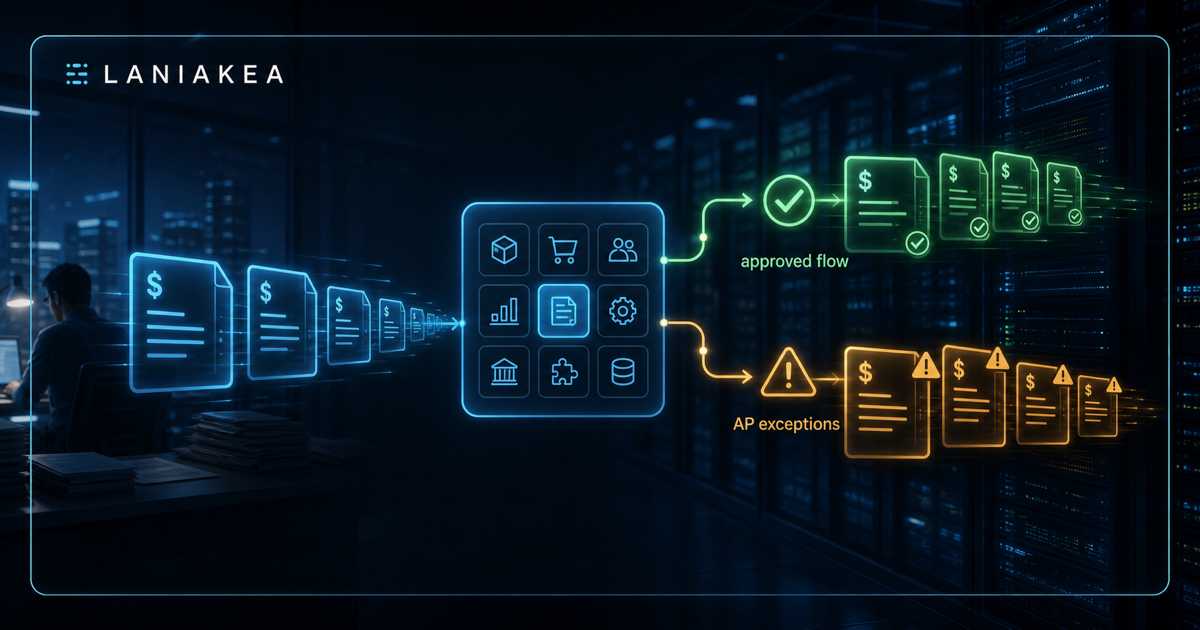
Odoo can be live and accounts payable can still feel painfully manual.
That is not a contradiction. It is one of the most common patterns after an ERP implementation.
The system is running. Vendors are loaded. Purchase orders exist. Receipts are being entered. Bills can be posted. Accounting can close the month.
But AP still lives in the inbox.
Someone still checks whether a receipt exists. Someone still messages the buyer about a price variance. Someone still maintains an Excel tracker for problem invoices. Someone still remembers which manager approves freight over a threshold. Someone still worries that the same vendor invoice number might slip through twice under a slightly different format.
The ERP implementation succeeded at getting the company onto one system. The AP workflow did not get fully operationalized.
That is the gap worth fixing.
The Problem Is Usually Not Invoice Capture
Most AP automation conversations start with document capture.
Can we read the PDF? Can we extract the invoice number, vendor name, amount, tax, due date, and line items? Can we ingest bills from email?
Those questions matter. But for an Odoo finance team, invoice capture is rarely the whole problem.
The real bottleneck starts after the bill is captured.
AP needs to know:
- Does this invoice match a purchase order?
- Has the item or service actually been received?
- Is the price variance within tolerance?
- Is freight expected, missing, or higher than normal?
- Is the vendor invoice number a duplicate risk?
- Does the bill need buyer review, receiving review, finance review, or manager approval?
- Can the bill be posted now, or should it sit in an exception queue?
If those decisions are still handled through inboxes and spreadsheets, AP will still feel manual even if Odoo is technically working.
Quick test: If AP cannot separate clean matches from receipt holds, buyer review, freight review, duplicate risk, and approval-needed bills, the workflow is still manual.
Odoo Has the Data, But the Workflow Needs Structure
Odoo already has the core records that AP needs:
- Vendor bills in Accounting.
- Purchase orders in Purchase.
- Receipts in Inventory.
- Vendor records and payment terms.
- Products, quantities, taxes, analytic tags, and accounts.
- Approval rules, activities, and chatter.
The issue is not that the data does not exist. The issue is that the data is not always organized into useful AP operating queues.
For AP, a bill should not just be "draft" or "posted." That is too blunt.
A practical AP workflow needs clearer states:
- Clean match: PO, receipt, and invoice agree within tolerance.
- Receipt hold: Invoice arrived, but the goods or service has not been received.
- Buyer review: Price, quantity, or vendor terms do not match the PO.
- Freight review: Shipping or handling charge needs validation.
- Duplicate risk: Vendor invoice number, date, amount, or reference looks suspicious.
- Approval needed: Bill is valid but needs management approval before posting or payment.
Those queues give AP a daily workbench. They also give finance leadership visibility into why bills are stuck.
AP Should Not Be the Detective for Every Exception
When AP is forced to investigate every mismatch manually, the department becomes a detective unit.
That creates four problems.
First, cycle time stretches. A bill that could be posted today waits for a buyer, receiver, or manager to respond.
Second, AP becomes the default owner of upstream problems. Missing receipts, weak purchase order discipline, bad vendor terms, and unclear freight rules all land on AP's desk.
Third, close becomes harder. Month-end accruals and AP aging are harder to explain when exceptions are scattered across email threads.
Fourth, duplicate payment risk goes up. Manual review catches some duplicates, but it is inconsistent under volume and deadline pressure.
The fix is not to remove humans from the process. The fix is to route the right problem to the right owner with enough context to make a decision.
What Good Odoo AP Automation Should Do
Good AP automation inside Odoo should be boring in the right way.
It should not be a black box. It should not create bills blindly. It should not bypass finance controls. It should not turn every exception into a custom development project.
It should do five practical things.
1. Classify the Bill
The first job is to classify each vendor bill:
- PO-backed bill.
- Non-PO bill.
- Recurring vendor bill.
- Freight or landed cost related bill.
- Credit note.
- Potential duplicate.
The classification drives the workflow. A PO-backed inventory bill should not follow the same path as a recurring software subscription.
2. Match Against Odoo Records
For PO-backed bills, the workflow should compare invoice lines against purchase order lines and receipts.
The useful question is not just "does this match?" It is:
- What matched?
- What did not match?
- Is the variance inside tolerance?
- Which owner needs to resolve the exception?
AP should see the reason, not just the warning.
3. Route Exceptions
Every exception needs an owner.
Missing receipt should go to receiving or warehouse operations.
Price variance should go to the buyer or purchasing owner.
Freight variance should go to the person responsible for freight terms or landed cost review.
Duplicate risk should stay with finance.
Manager approval should route according to amount, department, vendor, or analytic account.
4. Preserve Finance Control
Automation should recommend actions. Finance should still control posting, approval, payment timing, and exception policy.
That matters because AP is not just transaction processing. It is a control function.
The best workflow gives AP more confidence, not less.
5. Measure the Bottlenecks
Once bills are routed into clear queues, finance can finally see the operating problem.
For example:
- 42 percent of blocked bills are receipt holds.
- One vendor creates most freight exceptions.
- One buying team creates recurring price variances.
- Non-PO bills are driving approval delays.
- Duplicate-risk flags spike near month-end.
That gives leadership a process improvement map instead of a vague complaint that "AP is slow."
The First Workflow to Fix
Do not try to automate every AP path at once.
Start with the queue that creates the most drag.
For many Odoo teams, that is one of these:
- Vendor bills waiting on receipts.
- PO price or quantity variances.
- Duplicate invoice checks.
- Freight and landed cost review.
- Non-PO approval routing.
Pick one. Measure it. Clean it up. Then expand.
That is how AP automation becomes a practical improvement instead of another open-ended ERP project.
A Simple Test for Your Odoo AP Workflow
Ask your finance team these questions:
- Can AP see every blocked bill by exception type?
- Can AP tell whether a bill is waiting on receiving, purchasing, finance, or manager approval?
- Are duplicate invoice risks flagged before payment approval?
- Are PO and receipt variances routed to the right owner?
- Can the controller see why AP aging is growing before month-end?
If the answer is no, Odoo may be live, but the AP workflow is still not fully under control.
That is fixable.
AP still stuck after Odoo go-live?
We map how vendor bills move today, identify where AP gets stuck, and recommend the first workflow worth cleaning up: intake, PO matching, receipt holds, variance routing, duplicate risk, or approval queues.